
How to Test a Refurbished Laptop: Buyer's Checklist and Our 8-Point Quality Check

A refurbished laptop can look perfect on the outside and still hide problems. A weak battery, a faulty port or an unhealthy drive often shows up only after a few days of real use.
So how do you test a refurbished laptop before you trust it with your work? This guide gives you a practical refurbished laptop testing checklist you can follow after delivery, and explains how Renew Circuits checks every device before dispatch. It is written for individuals, startups and businesses buying refurbished laptops in India.
Why Testing Matters More Than Appearance
A clean exterior says little about internal condition. A proper refurbished laptop quality check should answer three questions:
- Is the hardware functioning correctly?
- Does the laptop match its advertised specifications?
- Is the device ready for your intended workload?
That is why professional refurbishment involves much more than cleaning a device and switching it on. Renew Circuits applies these checks to all its refurbished laptops.
How to Test a Refurbished Laptop After Delivery (Step-by-Step Checklist)
Even when you buy from a professional supplier, run these checks in the first few days. Most take only a few minutes.
1. Verify the Specifications
Open Settings > System > About (or press Windows + Pause) and confirm the processor, RAM, storage capacity, operating system and model. Compare them with your invoice and product listing.
2. Check Battery Health
Battery condition is one of the biggest concerns with refurbished devices. On Windows, open Command Prompt as administrator and run powercfg /batteryreport. Open the HTML report it generates and compare Design Capacity with Full Charge Capacity. The closer the two numbers, the healthier the battery. Then use the laptop unplugged for an hour and note how much charge it loses.
3. Check Storage Health
A free tool such as CrystalDiskInfo shows the drive's health status, temperature and power-on hours. Look for a "Good" status and no reallocated or pending sectors.
4. Test the Display, Keyboard and Touchpad
Look for dead pixels, flickering, backlight bleed or discolouration on a plain white and black screen. Type in a document to confirm every key responds, and test the touchpad's clicks, scrolling and gestures.
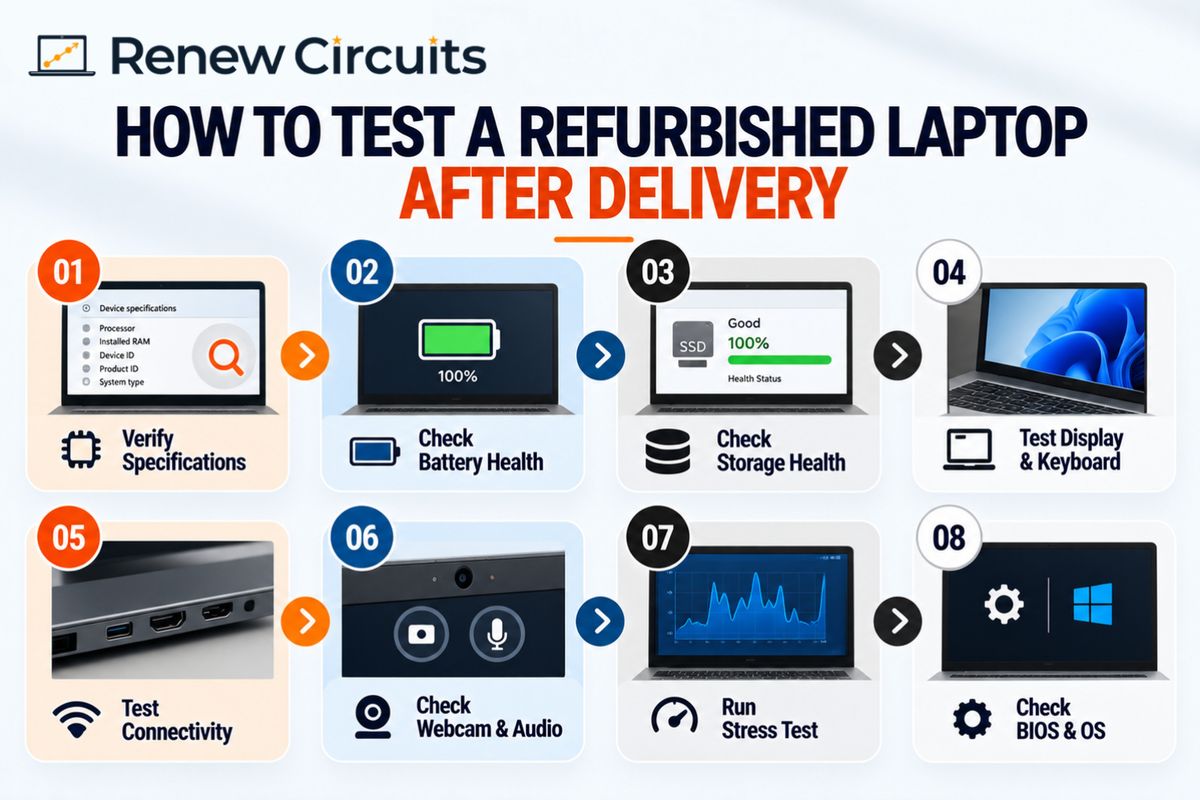
5. Test Ports, Wi-Fi and Bluetooth
Plug a USB device into every port, connect an external monitor, join your Wi-Fi network and pair a Bluetooth device. A laptop with healthy internals can still be unsuitable if essential connections fail.
6. Check the Webcam, Microphone and Speakers
Join a quick video call or record a short clip. Meetings and interviews depend on these components working well.
7. Run a Short Stress Test
Run a CPU stress test such as Cinebench or Prime95 for 10 to 15 minutes and watch temperatures. Fans should spin up smoothly, and the laptop should not crash, freeze or shut down.
8. Check the BIOS and Operating System
Confirm that Windows is activated, updates install normally and the BIOS has no password or management lock. Then open the applications you bought the laptop for and use them as you normally would.
How Renew Circuits Tests Every Refurbished Laptop Before Delivery
Renew Circuits documents a quality-control process covering model verification, physical condition, component functionality, performance and final dispatch readiness. Here are the main laptop inspection stages.
Model and Physical Condition Inspection
Checks cover the device model, serial number and visible condition, including scratches, marks and other cosmetic wear. Buyers know exactly what they are receiving and what to expect.
Processor, RAM and Storage Testing
The checks cover processor performance, RAM functionality, SSD or HDD health and configuration verification. A laptop is assessed on its actual hardware, not just on whether it starts.
Battery and Charging Checks
Battery health, backup, charging and adapter checks are part of the published quality-control parameters. Battery needs differ, since a frequent traveller depends on backup time far more than someone at a fixed desk.
Display, Keyboard and Touchpad Testing
These are the components employees use all day. A faulty display or unreliable keyboard hurts productivity even when the processor and storage are fine.
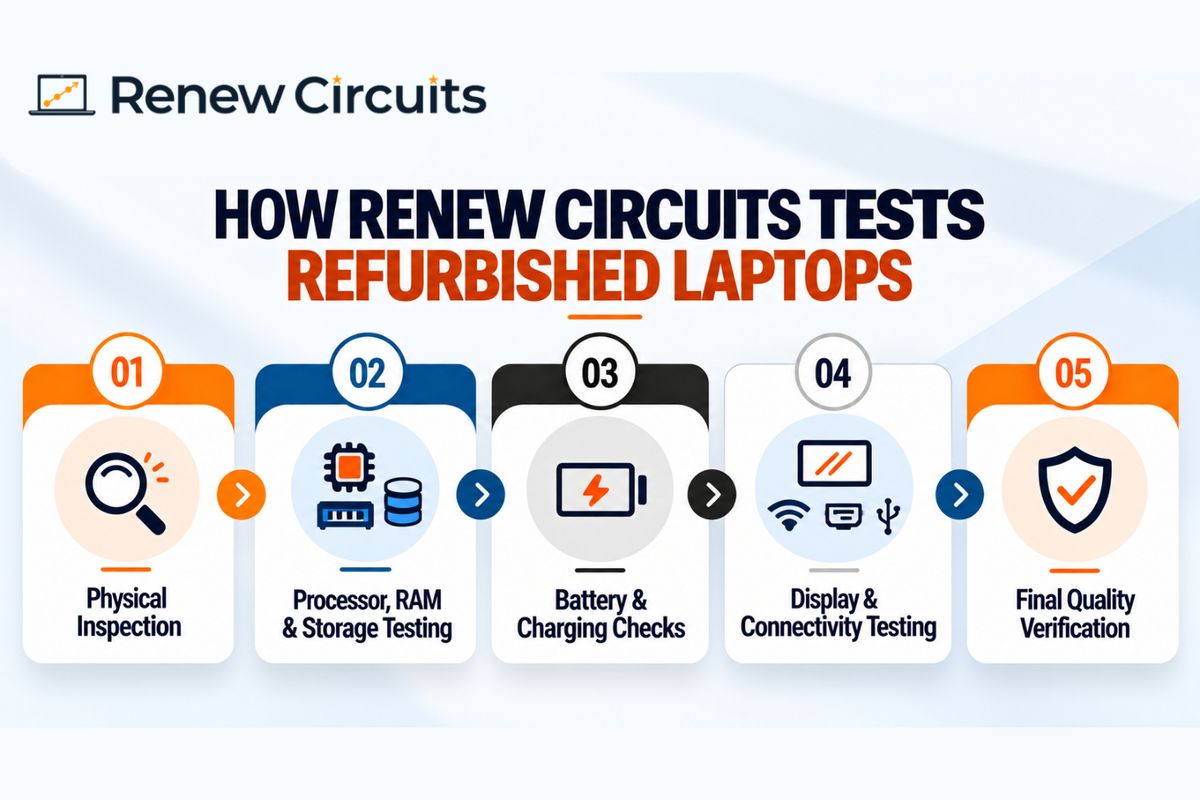
Ports, Wi-Fi and Bluetooth Testing
Physical ports, Wi-Fi and Bluetooth are checked because modern office work depends on connectivity to monitors, accessories and networks.
Webcam, Microphone and Speaker Checks
Video meetings are routine for most teams, so communication hardware is verified before dispatch.
Thermal Performance and Fan Testing
CPU performance, thermal and fan checks help confirm the cooling system works and the device performs as expected under load.
BIOS and Operating System Checks
BIOS status and operating system installation are verified so the system is correctly configured and ready for use.
What Happens Before Dispatch?
- Final quality verification: hardware, configuration and overall condition are reviewed.
- Packaging and accessories: the adapter and included accessories are checked, and packaging is prepared for delivery.
- Warranty and support: Renew Circuits publishes a standard one-year warranty on certified refurbished devices, subject to its terms. Review the warranty and support policy for coverage, exclusions and claims.
Why Testing Matters for Bulk Business Orders
A business ordering 30 laptops needs more than 30 devices that switch on. It needs consistent, deployable hardware.
- Consistent specifications: confirm processor, RAM, storage and operating system match the agreed requirements.
- Functional readiness: employees can start work without avoidable hardware issues.
- Warranty clarity: know what happens if a device develops a covered fault.
- Easier IT deployment: uniform configurations simplify software installation, troubleshooting and onboarding.
Companies planning larger deployments can explore Renew Circuits' enterprise laptop solutions based on quantity, configuration and workforce needs.
What to Ask Before Buying a Refurbished Laptop
A good supplier can explain how devices are checked. Ask:
- What hardware tests are performed?
- Is battery health evaluated, and what is the minimum accepted?
- Are the display, keyboard and ports tested?
- Is storage health checked?
- Are the actual specifications verified?
- What cosmetic condition should I expect?
- Is the operating system installed and activated?
- What warranty is included, and how are replacement requests handled?
These questions are especially useful when comparing refurbished laptop suppliers in India.
Why Renew Circuits Focuses on Quality-Checked Devices
Renew Circuits supplies refurbished business-grade laptops for individuals, organisations and institutional buyers across India. Its published process covers physical inspection, hardware diagnostics, battery assessment, connectivity, operating system checks and final quality control, backed by a one-year warranty and pan-India delivery.
Looking for refurbished laptops for your office or growing team? Contact Renew Circuits to discuss specifications, quantity, availability and warranty requirements.
Final Thoughts
Knowing how to test a refurbished laptop helps you look beyond appearance and promotional claims. Check the battery, storage, display, keyboard, ports, connectivity and software, and make sure the warranty is clear. Before you buy, ask what has been tested and confirm the configuration fits your needs.
Frequently Asked Questions
1. How do you test a refurbished laptop before buying it?
Start by verifying the processor, RAM, storage and operating system against the listing. Then check battery health, SSD or HDD status, display, keyboard, touchpad, ports, webcam and Wi-Fi. Finally, ask the supplier about its testing process and warranty terms so you know what has already been checked and what is covered if a fault appears later.
2. Does Renew Circuits test refurbished laptops before delivery?
Yes. Renew Circuits publishes a multi-point quality-control process covering hardware performance, battery, display, keyboard, ports, connectivity, storage, RAM and physical condition. Every laptop goes through final quality verification before dispatch, and certified refurbished devices carry a standard one-year warranty, subject to the published terms.
3. How can I check the battery health of a refurbished laptop?
On a Windows laptop, run powercfg /batteryreport in Command Prompt and open the report it creates. Compare Design Capacity with Full Charge Capacity to see how much capacity remains. Also run the laptop unplugged for an hour, and ask the supplier what battery assessment criteria it uses.
4. Are refurbished laptops tested for performance?
Professionally refurbished laptops should be evaluated for processor performance, RAM functionality, storage health and thermal behaviour. Renew Circuits includes these areas in its published quality-control parameters. You can also run a short CPU stress test yourself to confirm the laptop stays stable and cool under load.
5. What should businesses check when buying refurbished laptops in bulk?
Confirm specifications, testing procedures, battery condition, device grading, warranty, inventory consistency, delivery requirements and after-sales support before approving an order. Ask for a sample unit first, and make sure every laptop in the batch matches the agreed configuration so IT deployment stays simple.