
Best Refurbished Business Laptops in India: Dell, HP and Lenovo Compared
Dell Latitude, HP EliteBook and Lenovo ThinkPad are all safe buys. For most office desks, we'd start with a Latitude 5420 or an EliteBook 840 G8 with 16 GB RAM and a 512 GB SSD. Pick a ThinkPad if your team types all day. Whatever the badge says, check battery health, processor generation and the written warranty before you pay.
Say you're buying 30 laptops for a new team. You've shortlisted a Dell Latitude, an HP EliteBook and a Lenovo ThinkPad. All three have a Core i5, 16 GB RAM and a 512 GB SSD, and the prices are almost the same. Does the brand matter?
A little. But not as much as the battery, the screen and the exact unit in the box.
If you're hunting for the best refurbished business laptops in India, this guide compares the three brands, names the models we'd shortlist, and shows what to check before you order, whether it's one laptop or fifty.
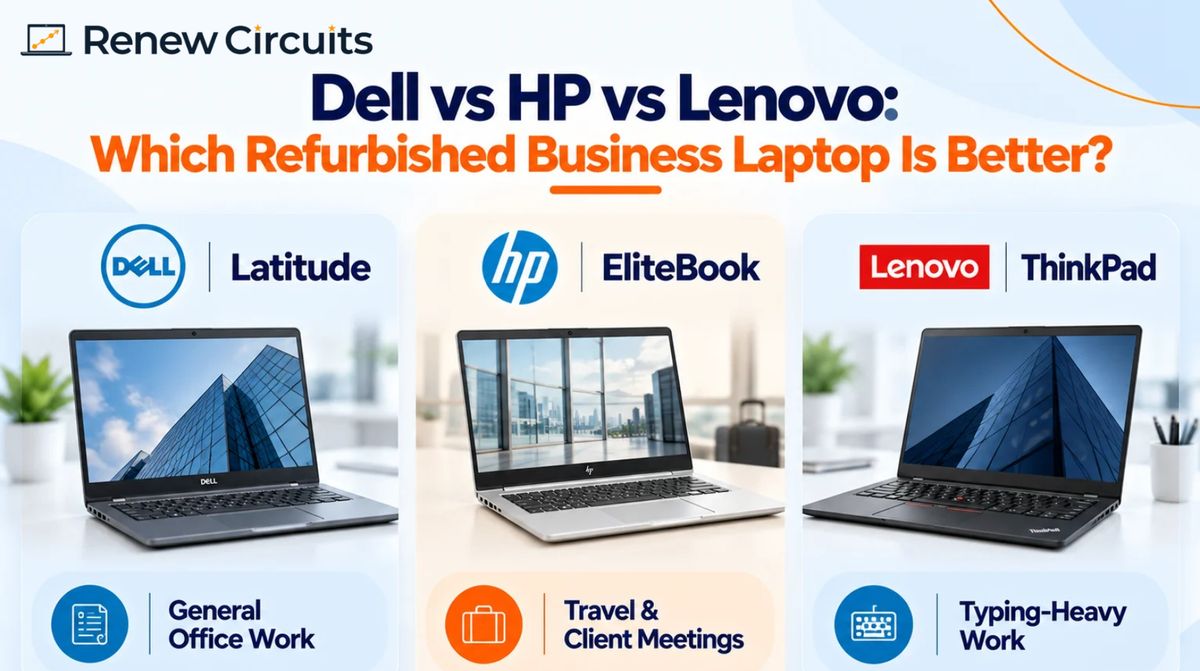
Dell vs HP vs Lenovo: Which Refurbished Business Laptop Is Better?
No single brand wins every round. Each one suits a different kind of employee.
- Dell Latitude (5000/7000): office teams and admin
- HP EliteBook (800 series): managers, sales and travel
- Lenovo ThinkPad (T, L, X): heavy typing and long working days
This isn't a performance ranking. A newer Latitude can beat an older ThinkPad, and a well-kept EliteBook can beat both. The model and its condition decide the outcome, not the logo.
1. Dell Latitude: the safe, boring choice
Latitudes are everywhere in corporate offices, and for good reason. They handle spreadsheets, CRM software, email and video calls without fuss. For most desks, that's exactly what you want.
Models we'd shortlist
- Latitude 5420: a 14-inch workhorse. Common units use 11th-generation Intel Core processors, but confirm the exact chip on the unit you're buying. With 16 GB RAM and an SSD, it handles daily multitasking comfortably.
- Latitude 7420: also 14-inch, but a step up in build and portability. A good fit for staff who carry their laptop every day.
- Latitude 5520: the 15.6-inch version, useful for people who live in spreadsheets and want the extra screen space.
Who it suits: finance, customer support, admin, HR and operations.
What to check: processor generation, RAM, storage, display resolution and ports. Then ask about battery health, charging and any BIOS lock. An older Latitude with a tired battery will annoy your team within a month.
2. HP EliteBook: for people who are always in meetings
EliteBooks look professional and travel well. If you're equipping a sales manager who moves between client offices, weight, webcam and battery matter more than the fastest processor.
Models we'd shortlist
- EliteBook 840 G7: 14-inch with 10th-generation Intel Core. A sensible budget pick if RAM, SSD and battery are in good shape.
- EliteBook 840 G8: the newer 14-inch, with 11th-generation Intel Core. Screens vary between units, and some are brighter than others, so ask for the exact display spec.
- EliteBook 850 G8: the 15-inch option for people who read a lot of documents and reports.
Who it suits: sales, business development, managers, client-facing staff and hybrid workers.
What to check: the screen, keyboard, webcam and battery. If your team lives on video calls, test the microphone and speakers too. And don't trust the manufacturer's battery-life claims on a used machine. Ask for the current battery-health reading.
3. Lenovo ThinkPad: the one for people who type all day
Some people care how a laptop looks. Others care how it feels after six hours of typing. If that's your team, try a ThinkPad keyboard first. Most people notice the difference quickly.
The range is big, though. An entry-level L series and a premium T or X series are very different machines.
Models we'd shortlist
- ThinkPad T14 Gen 1: a compact 14-inch, sold with Intel and AMD options. Check the exact processor and memory, because upgrade options differ between versions.
- ThinkPad T14 Gen 2: the newer one. It handles office work, multitasking and light development.
- ThinkPad L14: a budget-friendly option when you're equipping a larger team. Compare generation and processor carefully, because two L14s can perform very differently.
Who it suits: heavy typists, operations teams, finance staff, developers (with enough RAM) and companies that want one standard laptop for everyone.
What to check: the keyboard, TrackPoint and touchpad, hinges, USB ports, battery and charging connector. Also find out whether the RAM is soldered, upgradeable or both. Two ThinkPads with similar names can have very different upgrade options.
Dell Latitude vs HP EliteBook vs Lenovo ThinkPad: quick comparison
- Dell Latitude: general office work. Portable pick: 7420. Big-screen pick: 5520.
- HP EliteBook: travel and client meetings. Portable pick: 840 G8. Big-screen pick: 850 G8.
- Lenovo ThinkPad: typing-heavy work. Portable pick: T14. Big-screen pick: larger T and L models.
Battery life, honestly, depends on the individual unit and not the brand. That's why the checks matter more than the badge.
Which laptop for which job?
Start with what the employee does all day, then pick the brand.
Customer support and admin. A Latitude 5420, EliteBook 840 G8 or ThinkPad T14 will do. Look for a Windows 11-compatible processor, an SSD, reliable Wi-Fi and a working webcam and microphone. 8 GB RAM is the minimum for light tasks, but 16 GB is better if people keep many tabs and apps open. These staff don't need your most expensive machines. They need laptops that don't freeze mid-call.
Finance and accounting. Screen size and a numeric keypad matter here. Compare the Latitude 5520, EliteBook 850 and 15-inch ThinkPads, and go for 16 GB RAM if the spreadsheets are heavy.
Sales teams and managers. Weight, battery and webcam come first. The EliteBook 840, Latitude 7420 and ThinkPad T-series are reasonable starting points. Ask for the real weight and the battery-health reading before you commit.
Developers. Don't pick by "i5 or i7" alone. A developer working in browser apps has different needs from someone running virtual machines and containers. For heavy workloads, 16 to 32 GB RAM or more may be right, depending on the tools.
Designers and video editors. Be careful here. A standard office laptop usually lacks the graphics power, colour accuracy and memory for creative work. A refurbished mobile workstation may work, but compare it against new hardware and check what your software needs.
What matters more than the brand?
A ThinkPad isn't automatically faster than a Latitude, and an EliteBook isn't automatically better at multitasking. The hardware inside decides.
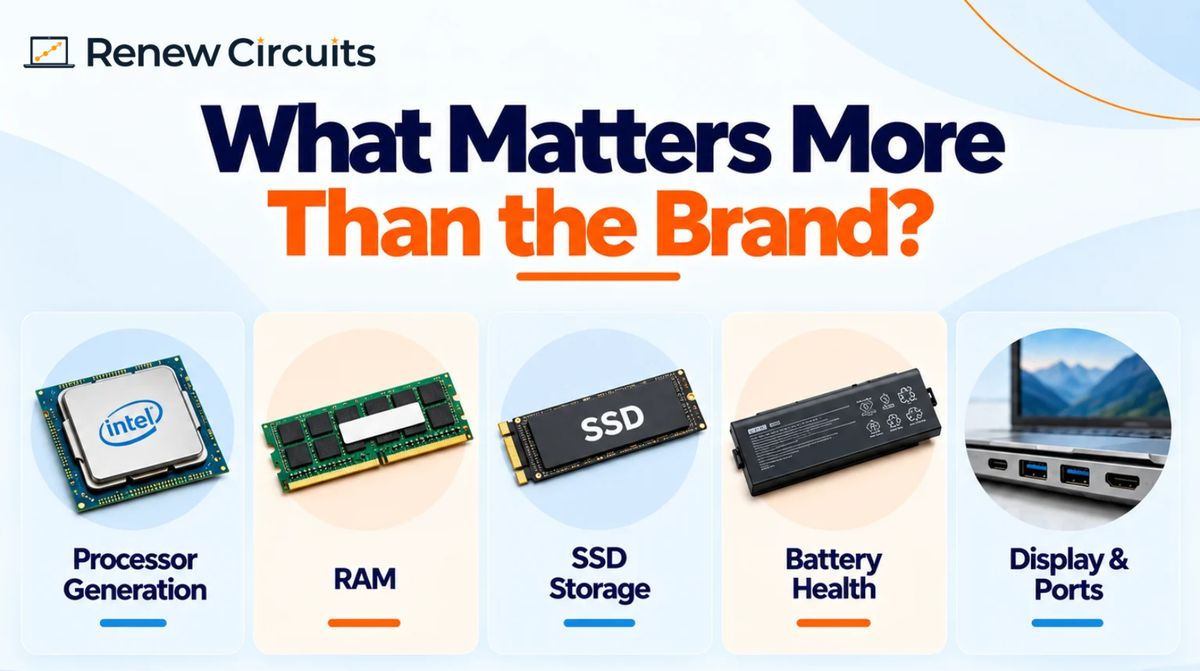
- Processor generation. A Core i5 from a few years back and a newer Core i5 are very different. Ask for the full model number, not just "Intel Core i5." Confirm Windows 11 compatibility too. Windows 10 reached end of support on 14 October 2025, so unsupported hardware now means no security updates.
- RAM. 8 GB still works for basic office use. If your team runs many browser tabs, spreadsheets and video calls together, 16 GB is the comfortable starting point.
- Storage. Get an SSD. 256 GB is fine for people who work mostly in cloud apps. If they store large files locally, go for 512 GB or more.
- Battery health. A laptop with a great processor and a dead battery is still a frustrating laptop. Ask for the measured battery health and the supplier's minimum acceptance level.
- Display and ports. Check resolution, brightness, webcam and Wi-Fi. If staff use external monitors, make sure the laptop has the right video outputs.
What affects the price of a refurbished business laptop?
Prices change with stock, so we don’t list them here. These three things move the price most:
- Specs: processor generation, RAM and storage.
- Condition: cosmetic grade and battery health.
- Warranty and quantity: longer cover and bulk orders change the quote.
When you compare suppliers, ask everyone to quote the same spec so you’re not comparing apples with oranges.
For current configurations and availability, see our refurbished laptop catalogue.
Buying in bulk? Ask your supplier these six questions
Buying one refurbished laptop is simple. Buying 50 is a procurement project. Even with the same model for everyone, you need to know the supplier can deliver matching units and support them afterwards.
- Can you supply matching configurations? Confirm that every unit will have the agreed processor, RAM, SSD and operating system. If exact models run out, agree on acceptable substitutes before dispatch.
- What testing have you done? Ask how they check processors, memory, storage, displays, keyboards, ports and wireless. A laptop that powers on has not passed a quality check.
- What's the battery condition? Ask for the acceptance threshold and whether you can see device-level readings. This matters most for staff who travel or work from home.
- What does the warranty cover? Don't stop at the number of months. Ask what's covered, what's excluded, whether they repair or replace, and how long service takes. Our laptops come with a one-year warranty, subject to terms. [Link or list the exact terms here.]
- Will I get proper paperwork? For business orders, ask for a GST invoice, configuration details, serial numbers and warranty information. They make asset tracking and later support much easier. Check with your CA on input tax credit for your case.
- Can I reorder the same spec later? If your team grows, you'll want another 20 matching machines. Ask about stock and equivalent models.
Planning a bigger purchase? Look at our enterprise solutions or send us your bulk requirement.
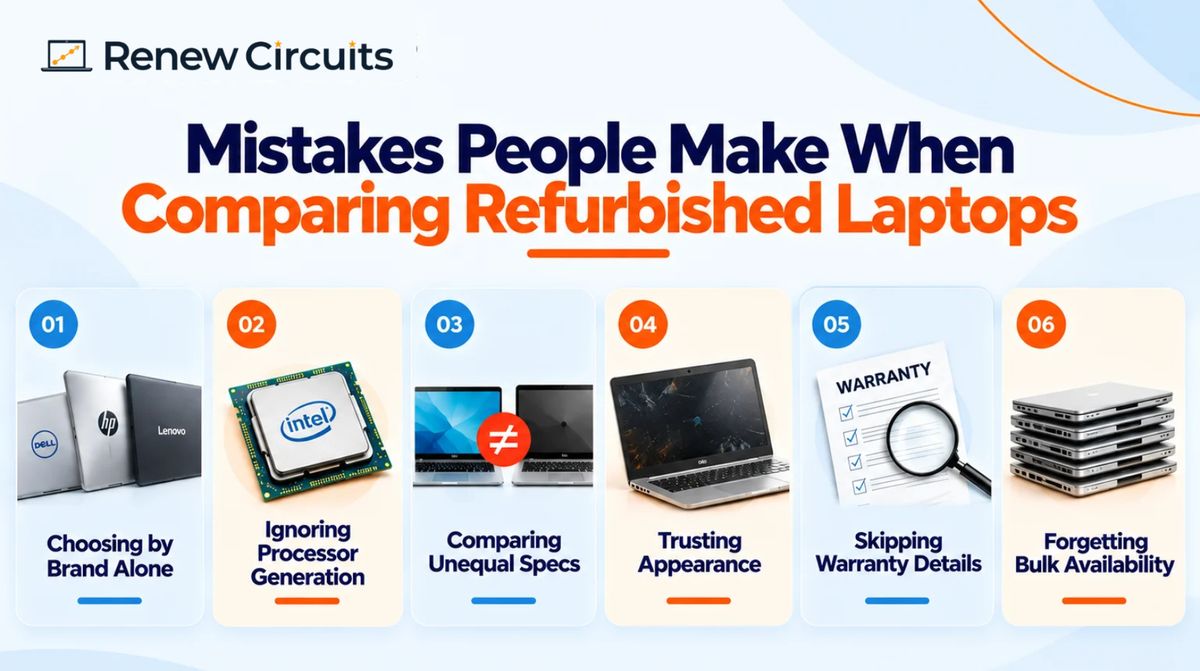
Mistakes people make when comparing refurbished laptops
- Choosing by brand alone. A Dell, HP or Lenovo badge says nothing about the battery, storage or keyboard in front of you.
- Ignoring processor generation. Two Core i5 laptops can be years apart.
- Comparing unequal specs. An 8 GB laptop and a 16 GB laptop aren't a fair comparison at the same price.
- Trusting appearance. A clean lid says nothing about battery health or the SSD.
- Skipping the warranty fine print. A warranty only helps if you know what it covers and how claims work.
- Forgetting bulk availability. A great deal on five laptops doesn't help when you need 50 identical ones.
So, which brand should you buy?
Here's how we'd decide:
- Dell Latitude when you find a well-tested unit that matches your spec at a fair price. It's the easy default.
- HP EliteBook when portability, screen quality and video-call features matter most.
- Lenovo ThinkPad when keyboard comfort and upgrade options come first.
Don't pay extra for a brand because someone told you it's the best. A well-tested Latitude with 16 GB RAM and a healthy battery beats a neglected ThinkPad, and the reverse is just as true.
For a general office team, our default pick would be [your recommended model] with 16 GB RAM, a 512 GB SSD and battery health above [your threshold]%. Everything else is a trade-off.
Need refurbished laptops for your office? Talk to Renew Circuits about Dell, HP and Lenovo options, quantities and warranty terms.
Frequently asked questions
Which is the best refurbished business laptop brand in India?
Dell, HP and Lenovo are all good. The brand matters less than the model, processor generation, battery condition and warranty, so compare those first.
Is Dell Latitude better than HP EliteBook?
Not by default. Both make capable business laptops. Compare the exact models, screens, batteries and support terms. If portability and video calls matter most, lean towards the EliteBook. For general office use, a Latitude is usually the easier pick.
Are refurbished Lenovo ThinkPads good for office work?
Yes. Suitable ThinkPads handle spreadsheets, browsing, email and video meetings well. Check the processor, RAM, SSD, battery and Windows 11 compatibility.
Which refurbished laptop is best for bulk office purchases?
The supplier matters as much as the model. Look for matching configurations, documented testing, GST invoices, warranty support and replacement arrangements.
How much RAM should a refurbished business laptop have?
8 GB works for light tasks. 16 GB is the better starting point for multitasking. Developers and specialist users may need more.
Are refurbished Dell, HP and Lenovo laptops reliable?
They can be, if they've been properly tested. Reliability comes down to the individual laptop's age, components and refurbishment process, not the brand.