
IT Asset Procurement in India: A 7-Step Guide for Growing Businesses
Twenty-five people join next month. HR has the dates and Finance has approved the budget. Now IT has a problem. Sales wants something light for travel, engineering wants 32 GB of RAM, and your supplier says half the order will take three weeks.
That’s when most companies find out the buying isn’t the hard part. Doing it in a way that still works at 50 or 150 people is. This guide walks through IT asset procurement in India without overspending, and without leaving new hires staring at a setup screen on day one.
The short version: standardise two or three laptop configurations, judge suppliers on warranty and repeatability, and track every device from the day it arrives.
What Is IT Asset Procurement?
IT asset procurement is everything between “we need this” and “it’s on the employee’s desk, working.” That means identifying the need, choosing the hardware, buying it, checking it on arrival and handing it over.
It goes beyond laptops. Monitors, peripherals, servers, networking gear, software licences, printers and accessories all count.
The work continues after delivery. You also need asset records, warranty tracking, repairs and a plan for retiring old devices. That wider lifecycle is IT asset management. Procurement is the front half of it.
A spreadsheet and two suppliers is fine for 15 people. At 150, it breaks.
Why Procurement Matters More as You Grow
At 15 employees, buying laptops is easy. At 150, teams need different specs, people join and leave all year, and warranties expire at random.
Spending drifts. Buying a premium laptop for everyone is easier than deciding who needs what. But your support team will never use that extra power, and your designers may still be short on graphics.
Onboarding slips. A new hire joins Monday and the laptop arrives Thursday. IT sets up a temporary machine, then repeats the work when the real one lands.
Support gets messy. Mixed chargers, processor generations and warranty terms slow down every ticket.
Replacements become surprises. Laptops don’t fail on schedule. If you track age, condition and warranty, you plan replacements. If you don’t, failures plan them for you.
Step 1: Start With the Job, Not the Brand
One manager wants a Dell, another wants an HP, a third wants whatever is newest. Ask a better question first: what will this person actually do on the laptop every day?
Use these as a first draft:
- Customer support: CRM, browser apps and calls. A Core i5 or Ryzen 5 class processor, 8–16 GB RAM and an SSD.
- Sales and marketing: presentations, CRM and video calls. 16 GB RAM, an SSD and good battery life.
- Finance: large Excel files and accounting software. 16 GB RAM, an SSD and a 15-inch screen.
- HR and admin: email, documents and recruitment tools. 8–16 GB RAM and an SSD.
- Developers: IDEs, test tools and many apps at once. 16–32 GB RAM, more for virtual machines.
- Design and video: a dedicated GPU, 32 GB RAM and a colour-accurate display.
Your real workloads will override this. A developer running virtual machines needs far more memory than one living in the browser.
What to do: ask each department head which software their team actually runs, then settle on two or three standard configurations. Every later purchase gets easier.
Step 2: Choose Between New, Refurbished and Rental
You don’t have to buy new for everyone.
New laptops suit designers, video editors, engineers and anyone needing a specific configuration or manufacturer support. The upfront cost is higher, but for heavy workloads it’s usually worth it.
Refurbished laptops are my pick for general office roles like support, admin, HR and most sales. Business-class lines such as Dell Latitude, HP EliteBook and Lenovo ThinkPad are built to last, and you spend less per seat. Condition decides everything, though. Before you order, ask how the devices were tested, what the battery health is, which processor generation it is, what the cosmetic grade is and what warranty you get in writing.
One more check that matters right now: Windows 10 reached end of support in October 2025. Confirm every refurbished model can officially run Windows 11, and skip any that can’t. You can browse refurbished business laptops to see what’s available.
Don’t buy refurbished if the role needs the latest GPU, if you need identical new units for one big rollout, or if the supplier can’t give you a written warranty and test report.
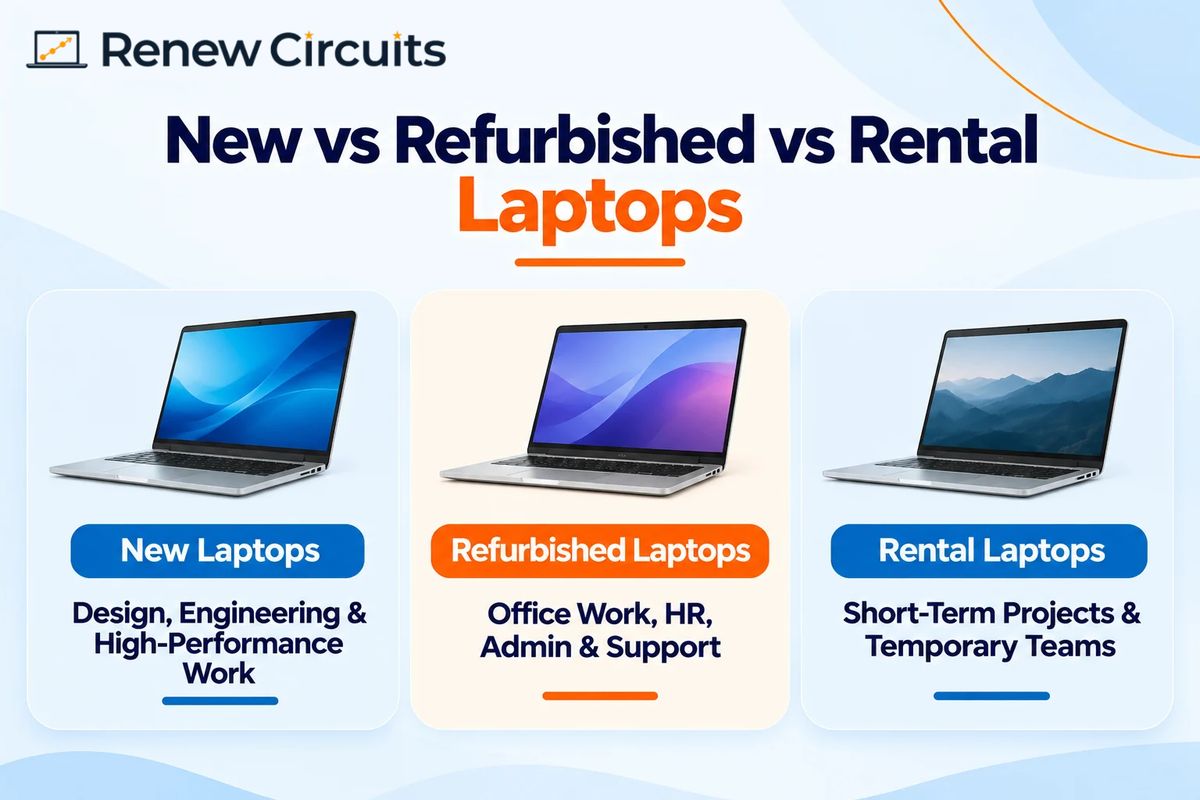
Rentals work when the need has an end date. If you need 20 extra laptops for a three-month project, owning them afterwards makes no sense. But monthly fees add up, so compare the total rental cost with buying for the same period.
Most growing teams end up using all three: refurbished for admin and support, new for design and engineering, rentals for project hires.
Need a quote for a specific headcount? Send your roles and quantities and we’ll come back with matching configurations. Request a bulk quote
Step 3: Budget for Total Cost, Not Purchase Price
Suppose you need 40 laptops. You collect three quotes, pick the lowest and order. Six months later, batteries are failing, a few units need repairs and IT is chasing the supplier. That first quote doesn’t look so cheap now.
Budget for total cost of ownership instead. A proper budget covers hardware and accessories, software and security tools, deployment and shipping, repairs and batteries, downtime when someone can’t work, and eventual replacement.
When you compare two quotes for the same 40 laptops, look at three things over three years: what you pay on day one, what you’ll spend on repairs and batteries, and the IT time lost to setup, swaps and chasing the supplier.
The cheapest laptop on day one isn’t always the cheapest after three years. The most expensive isn’t automatically better value either.
Step 4: Choose a Supplier You Can Reorder From
A supplier can quote a great price and still cause problems. Maybe they can’t match configurations. Maybe warranty claims drag on. Maybe they have stock now but nothing identical when you hire 20 more next quarter.
Check these before you commit:
- Availability. Is the stock ready to dispatch, and can they repeat the same configuration later?
- Testing. For refurbished units, how are RAM, storage, display, keyboard, ports and battery checked?
- Warranty and support. Get the period, covered parts, exclusions and replacement process in writing.
- Consistent specs. Confirm every unit in a bulk order matches the agreed processor, RAM, storage and OS.
- Documentation. Ask for a GST invoice, serial numbers and warranty details.
- Coverage. If your team sits in several cities, ask how delivery and support work outside head office.
- A named contact. When something goes wrong, who picks up the phone?
For larger deployments, see Renew Circuits’ enterprise solutions.
Step 5: Put a Simple Process in Writing
You don’t need an elaborate system. You need a documented one that people follow.
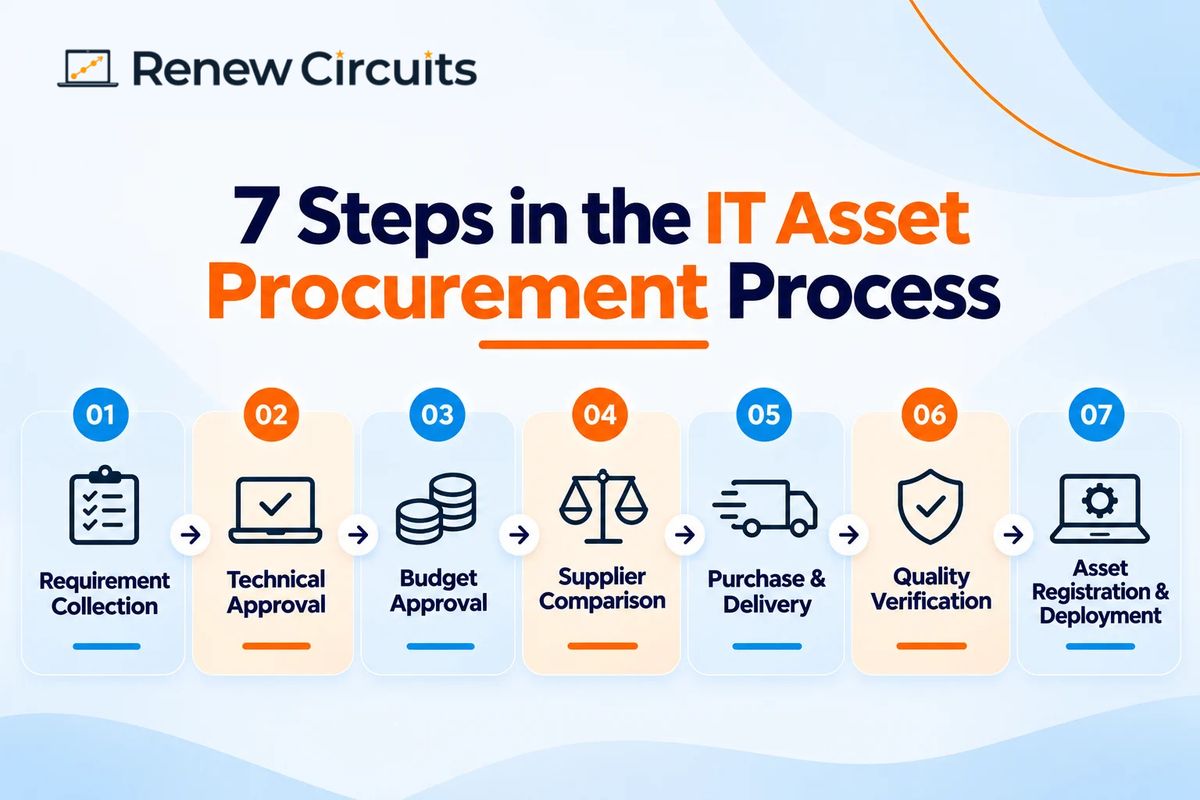
- Collect the requirement: role, software, quantity and delivery date.
- Technical approval: IT checks the spec. A team asking for a high-end laptop may be fine with a standard model.
- Budget approval: Finance checks it against the approved budget.
- Compare suppliers: request quotes against the same spec. An 8 GB laptop and a 16 GB laptop are not equal products.
- Purchase and delivery: confirm quantities, configurations and dates. For a large refurbished order, check a few sample units first.
- Verify on arrival: check model, processor, memory, storage and condition against the purchase order before deployment.
- Register and deploy: assign an asset ID, install approved software and hand it over.
Keep approvals light. If a small purchase needs five signatures, people will start buying around the process.
Step 6: Keep an IT Asset Register
Six months after purchase, can you say who has laptop #37? If not, start a register today.
A spreadsheet is enough for a small company. For every device, record the asset ID, serial number, brand and model, processor, RAM and storage, purchase date, supplier, warranty details, assigned employee, location and status (active, spare, under repair or retired).
Update it whenever a device is issued, returned, repaired or replaced. Otherwise it goes stale within weeks and nobody trusts it.
Step 7: Plan Repairs, Upgrades and Replacements
A company with 200 devices will have some that need attention every year. Review devices regularly, because a laptop that handles email fine can struggle when someone moves into a more demanding role. Repair when it makes sense, since a new battery or SSD can add years of life, but weigh repair cost, device age and downtime first.
If you hire often, keep a few spare laptops ready. And refresh by condition, not by calendar: replace based on performance, compatibility and support status, not a fixed number of years.
Common Mistakes Indian Businesses Make
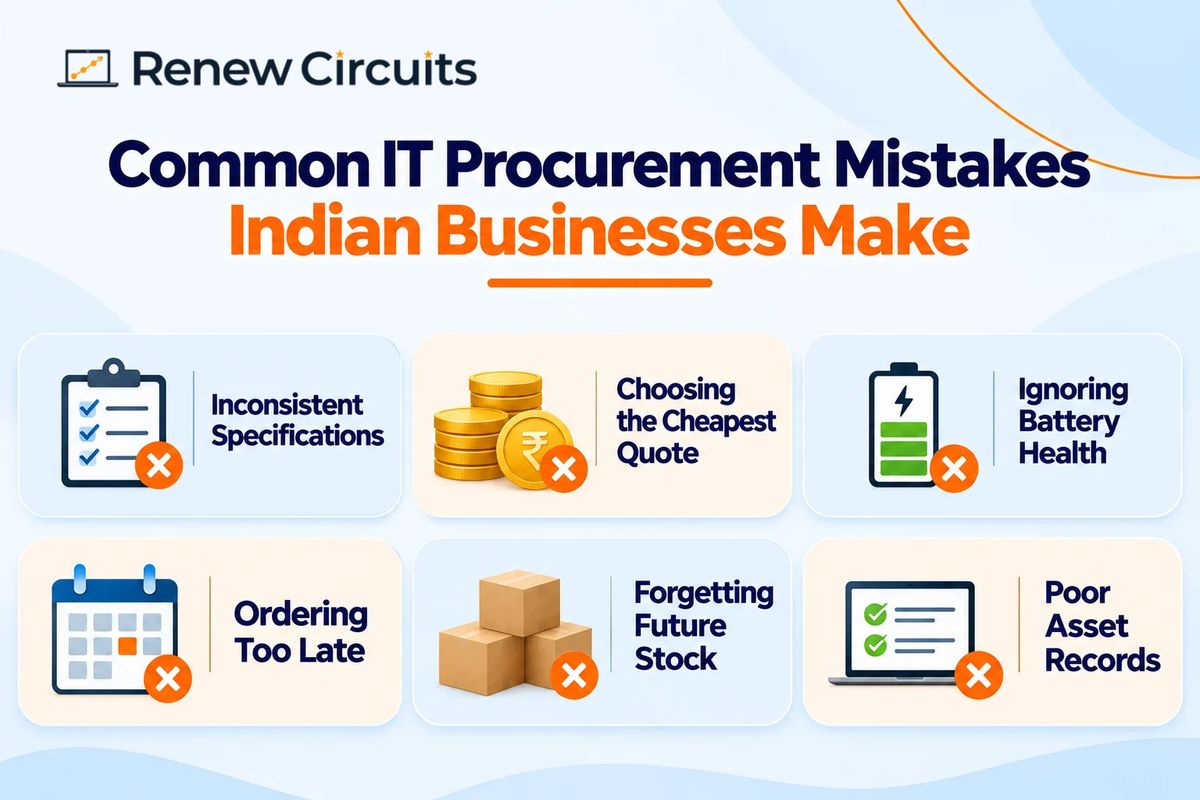
Different specs for the same role. One person gets 8 GB, another 16 GB, a third an older processor. IT ends up supporting all of them.
Picking the cheapest quote. A lower quote often hides weaker warranty terms, mismatched units or thin support.
Ignoring battery health. A refurbished laptop can run perfectly on the charger and die in an hour on a client trip.
Ordering too late. If you wait until people have joined, everyone is under pressure. Plan around your hiring forecast.
Forgetting the next order. A supplier may have 30 laptops today and none matching next month.
Sloppy records. Without serial numbers and assignments, even simple support gets slow.
Compliance Checks in India
The exact rules depend on what you buy and how you operate, so confirm specifics with your finance or compliance team.
- GST invoices: ask for proper tax invoices. If you plan to claim input tax credit, check eligibility with your tax adviser.
- Software licences: don’t assume a “Windows-ready” laptop includes a valid licence for every application you need.
- Data security: for refurbished units, ask how earlier data was erased and how the supplier sanitises devices.
- E-waste: when assets reach end of life, use authorised channels. The E-Waste (Management) Rules, 2022, as amended, are a key part of the framework.
- Warranty records: keep written coverage, exclusions and support terms, especially on bulk orders.
Quick Checklist Before Your Next Order
- Workloads confirmed and specs matched to each department
- Windows 11 compatibility checked
- New, refurbished or rental decided
- Supplier can deliver the full quantity with consistent configurations
- Testing and battery condition documented
- Warranty in writing
- Quotes compared on matching specs
- GST invoice, serial numbers and device records confirmed
- Arrival check and asset register ready
The Bottom Line
Don’t chase the cheapest quote or the priciest spec. Match the machine to the job and get it there before the joining date.
For many teams, that means tested refurbished laptops for everyday roles, new hardware for demanding ones and rentals for short projects. The decisions you make at 50 employees will still shape your IT budget at 500.
Planning IT asset procurement for a growing team? Contact Renew Circuits to discuss refurbished business laptops, configurations and bulk quantities.
Frequently Asked Questions
What is IT asset procurement?
It’s how a business identifies, buys and deploys the technology it needs, including budgeting, supplier selection, documentation and checking hardware on arrival.
How can businesses reduce IT procurement costs in India?
Match specs to real workloads, compare new, refurbished and rental options, and standardise configurations. Judge offers on total cost of ownership, not just purchase price.
Are refurbished laptops suitable for corporate use?
Yes, for most office roles, if properly tested. Check processor generation, Windows 11 support, battery health, warranty and supplier support.
What should companies check before buying laptops in bulk?
Configuration consistency, stock, testing, written warranty, GST documentation, delivery and after-sales support.
Should growing businesses buy or rent laptops?
Buy for long-term needs and rent for temporary projects. Compare total cost, contract terms and expected usage first.